FiveStaff

From the team behind FiveRoster

Player management for your FiveM server's staff team

FiveRoster runs your departments. FiveStaff runs the people who moderate your server: a record of every player who joins, reports from in game, bans and appeals, and a live map of who is on.

Free for up to 3 staff, no card needed. Use code 5ROSTER for 20% off your first month of Pro.
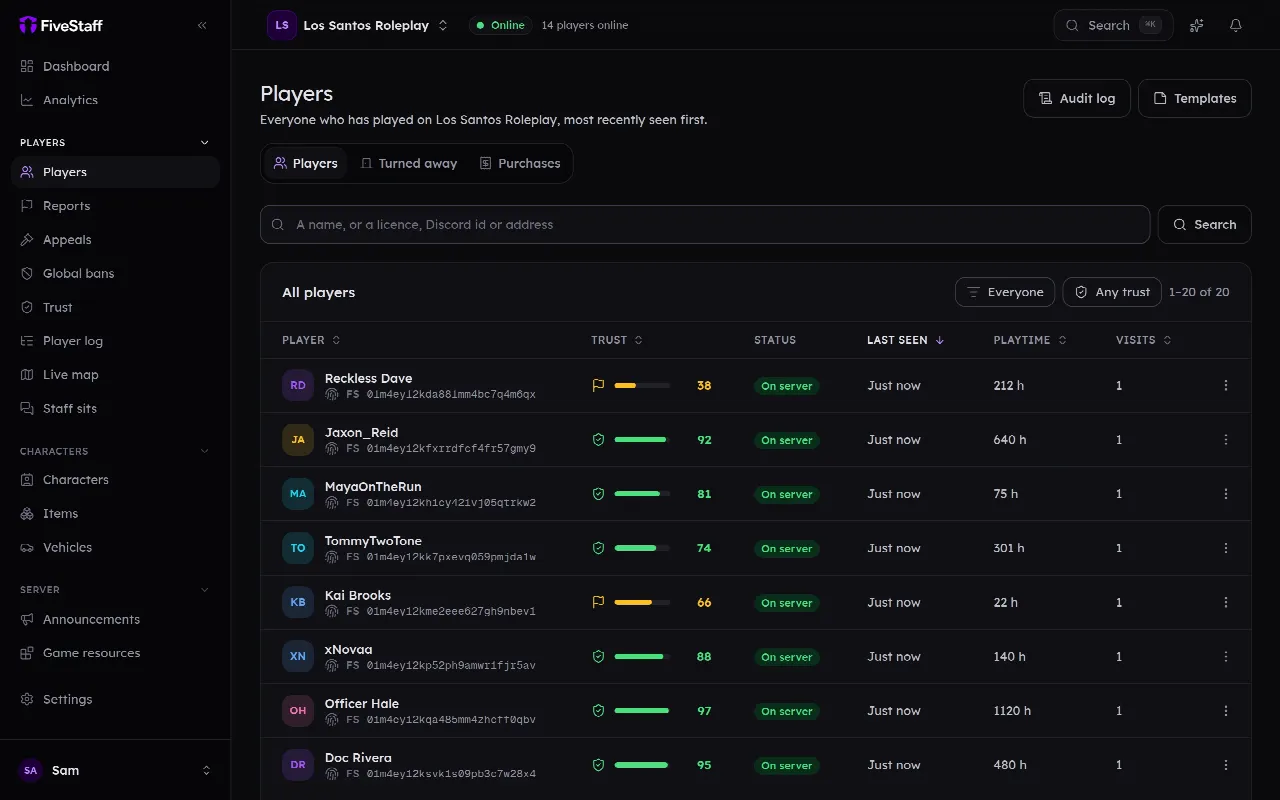
The FiveStaff Players screen, listing everyone who has joined the server with their trust score, status, playtime and visits.

How it works

Three steps, and your staff have all of it from the first day.

  1. 1

    Sign in with Discord and add your server

    Your staff sign in with the Discord accounts they already have, and the staff roles you already use on Discord decide what each of them can do.

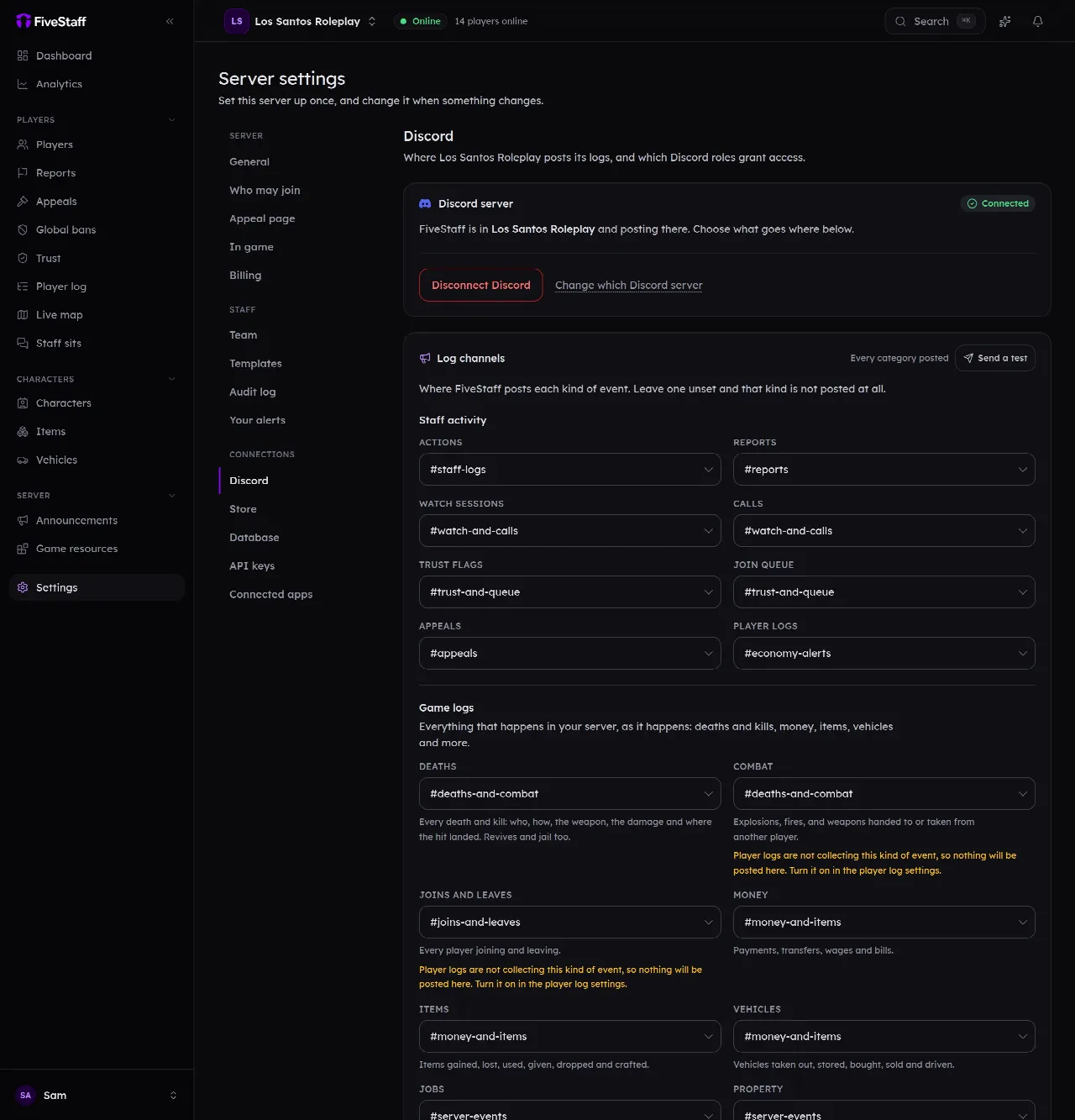
  2. 2

    Drop one resource into your game server

    FiveStaff reads QBCore, QBox, ESX, ox_core, ND_Core, vRP and TMC directly, and runs on a standalone server too. Your players install nothing.

  3. 3

    Your staff work from wherever they are

    In the web panel, in game with their own toolbox, and in Discord. Whichever they use, every action lands in the same record and the same audit log.

Everything your staff team does, in one place

Every screenshot below is the real FiveStaff panel.

Player records

Everyone who has ever joined, on the record

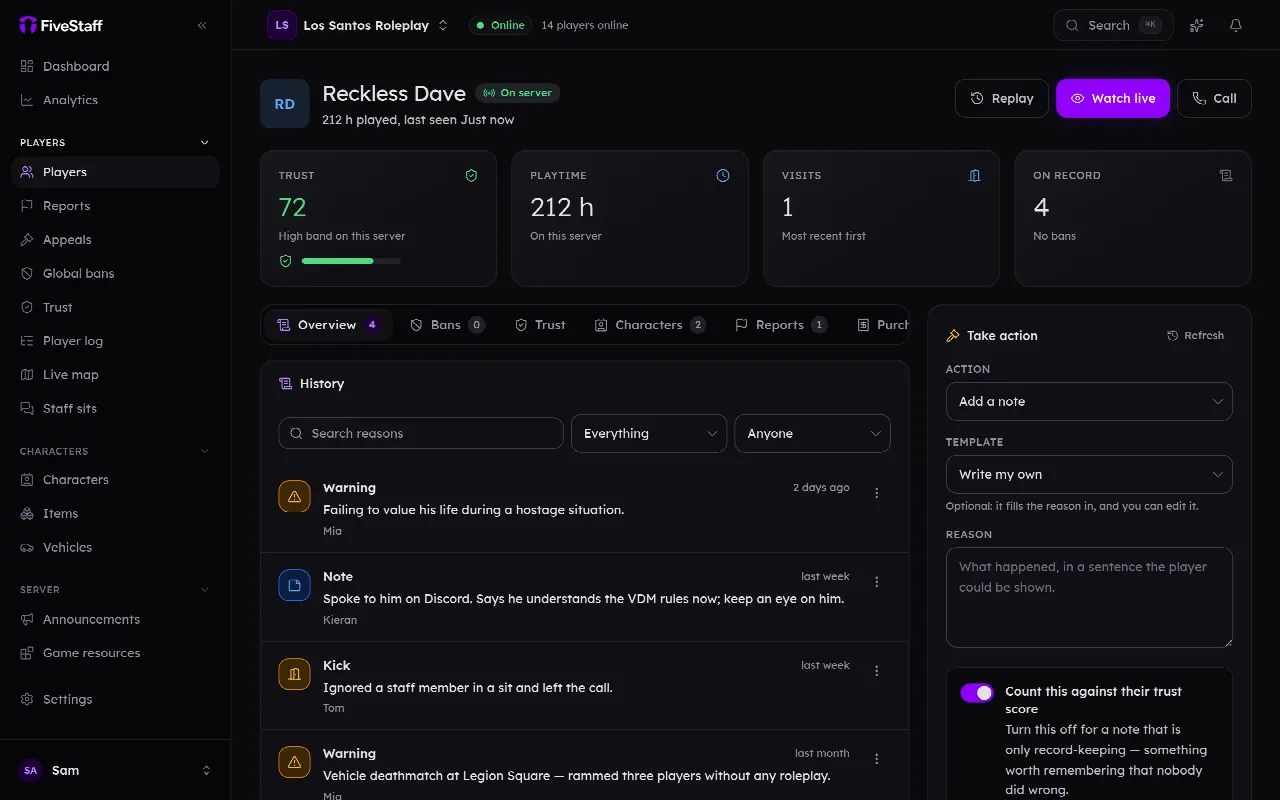
One page per player, built the first time they connect and kept whether they come back or not. Every name they have used, every identifier, every warning, kick and ban, and the member of staff who did each one.

  • Alt accounts are matched on their identifiers, so a new Steam account on a banned licence is not a new player
  • Their characters, money and vehicles, read from your framework
  • Search by name, licence, Discord ID, plate or citizen ID
A FiveStaff player record showing their names, identifiers, playtime and the actions staff have taken.

Reports

From /report in game to a decision you can stand behind

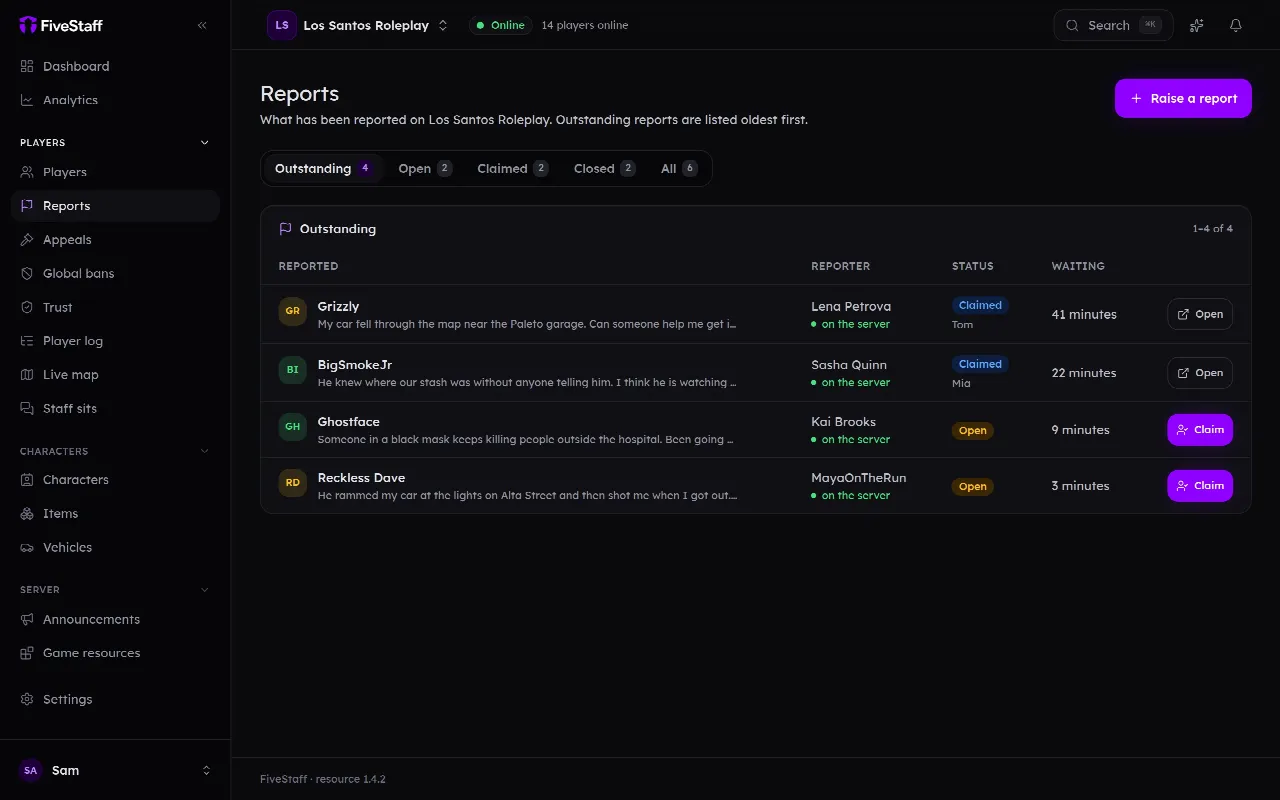
A player reports somebody without leaving the server. Your team sees it in the panel and in Discord, claims it so two people are not working the same one, and closes it with what they did written down.

  • A screenshot is taken the moment the report is sent
  • The minutes before the report are kept with it
  • Staff can raise reports too
The FiveStaff reports queue with open, claimed and closed reports.

Live map and live view

See who is on, and where, right now

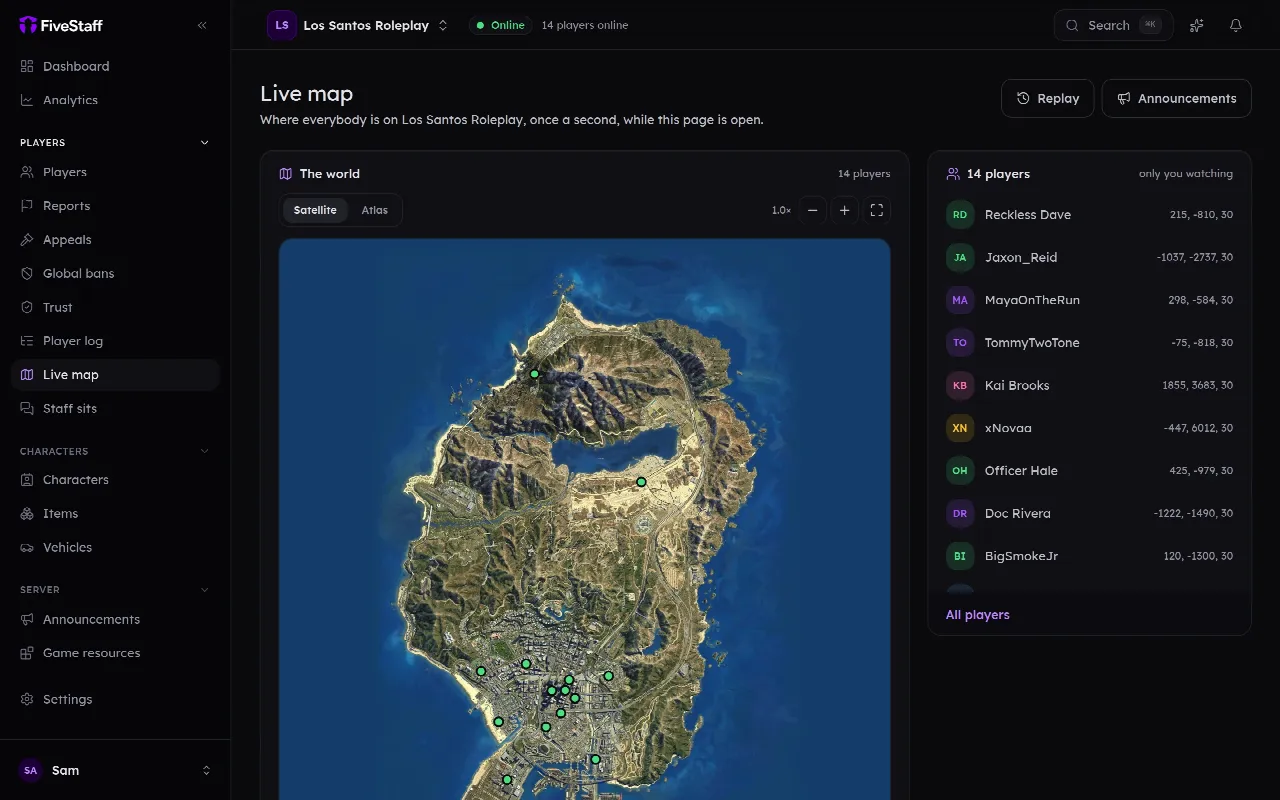
A live map of every player on the server, updated every second. On Pro, pick somebody and watch their game as it happens, with nothing for them to accept, and call them if something needs saying.

  • Replay where everybody was a few minutes ago
  • Watching a player is itself written to the audit log
  • Works from the panel and from the tablet in game
The FiveStaff live map showing every player on the server and a list of who is online.

In game

The tools are in the game with your staff

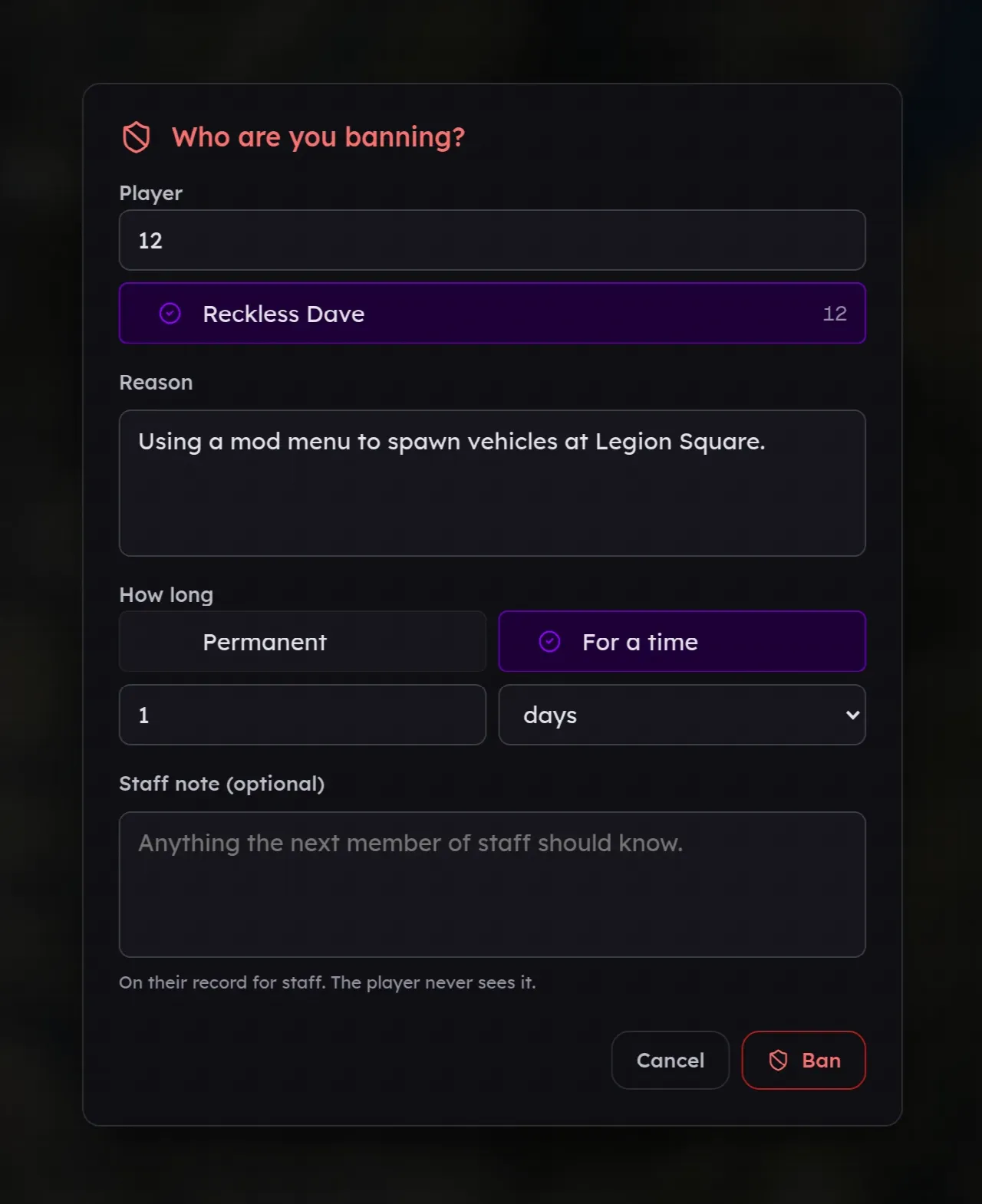
Your staff are playing when things happen. One command opens a window for each job: ban, warn, message, sit and timeout. A tag over every head shows who has a history, and new reports reach them mid-scene.

  • A toolbox on one key, built from the role you gave them
  • A moderator who may not ban never sees a ban button
  • Every press lands in the same audit log as the panel
The in-game FiveStaff ban window with a player, a reason and a length.

Bans and appeals

Bans that hold, and appeals you can actually read

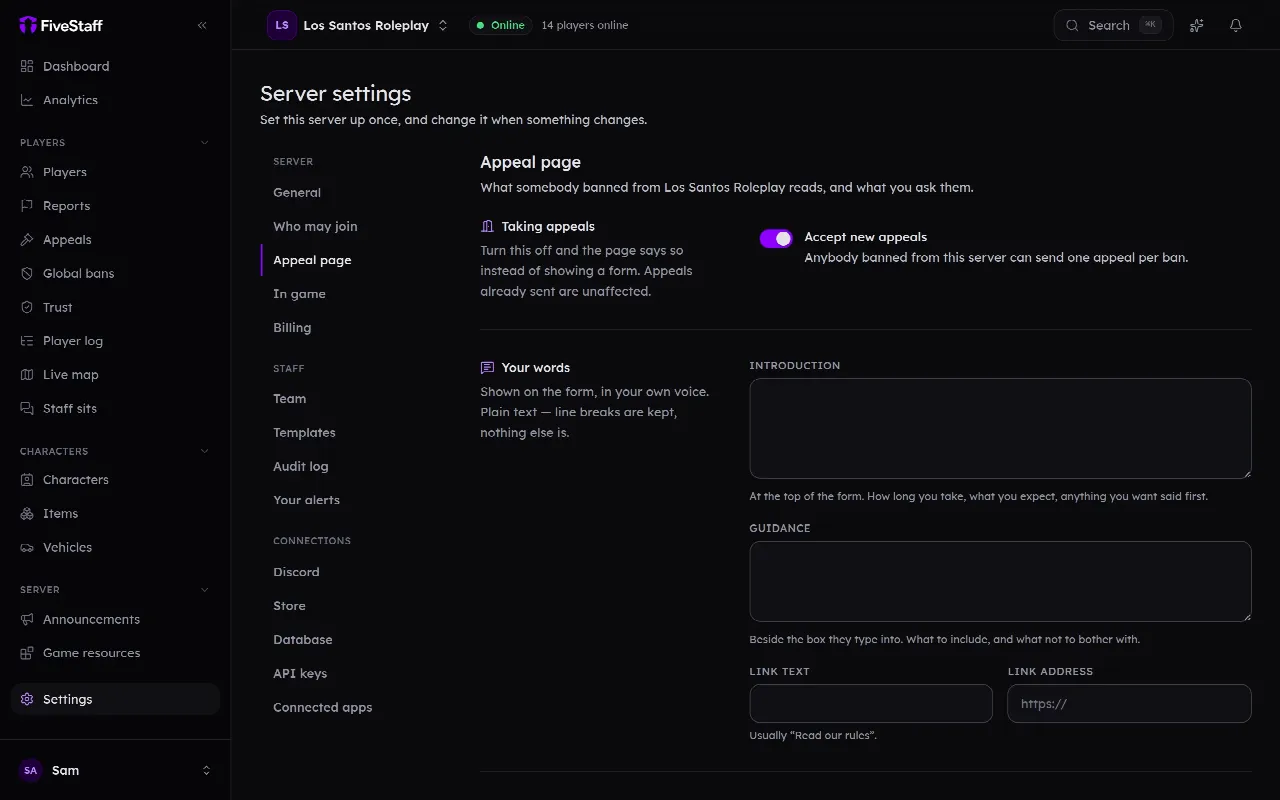
Ban on every identifier a player has used, with a reason they see when they try to come back. They appeal on a separate site, in a form, and your team answers it in one place instead of six separate direct messages.

  • Temporary or permanent, and lifted with a record of why
  • Bans keep working even if FiveStaff is unreachable
  • Appeals answered in one place, not in direct messages
A FiveStaff appeal page where a banned player explains their side.

Discord

Logs and staff roles in the Discord you already run

One button adds the bot. Pick the channels from a list, and what happens on your server shows up where your team already is, with the staff roles you already use deciding who can do what.

  • Your Discord roles are the permissions
  • Act on a report straight from Discord
  • Alerts you write, for the things that matter to you
FiveStaff report and ban messages posted in a Discord staff channel.

Trust scores

Every player carries a score built from what has happened to them on your server, so you can see who needs a second look before anybody complains.

Player logs

Deaths, kills, vehicles, money, items and joins, kept per player and searchable, with alert rules written in plain terms.

Staff roles and trials

Build the roles your server has, give each exactly the powers it needs, and run a trial for the moderator you are not sure about yet.

A full audit log

Every action any member of staff takes is written down with who did it and when, and an amended warning keeps what it said before.

Two jobs, two tools

Your police chief and your head of staff are rarely looking at the same problem. Each gets a tool built for theirs.

FiveRoster

For the people running a department inside your server.

  • Ranks, callsigns and divisions mirrored from Discord
  • Shifts, hours and who is behind on them
  • Training, certifications and leave of absence
  • Applications, documents and the org chart
FiveStaff

For the staff team moderating the server itself.

  • A permanent record of every player who joins
  • Reports from in game, claimed and closed with a reason
  • Bans on every identifier, with appeals on their own site
  • A live map, trust scores and a full audit log

For FiveRoster users

20% off your first month of Pro

Start free with up to 3 staff. When your team outgrows it, use this code at checkout.

5ROSTER
  1. 1. Add your server to FiveStaff
  2. 2. Choose Pro on the plan page
  3. 3. Press Add promotion code and type 5ROSTER

Questions

Is FiveStaff free?

Yes, for up to 3 staff on one server, with no card needed to start. Pro is paid per server and adds unlimited staff, longer history and live view. Use code 5ROSTER at checkout for 20% off your first month of Pro.
Do my players have to install anything?

No. You add one resource to your game server. The only part your players ever see is /report, and the ban message if they earn one.

Which frameworks does it work with?

FiveStaff reads QBCore, QBox, ESX, ox_core, ND_Core, vRP and TMC directly, so a player record carries their characters, money and vehicles. It also runs on a standalone server.

Does FiveStaff replace FiveRoster?

No, they do different jobs. FiveRoster runs your departments: ranks, callsigns, shifts, training and leave. FiveStaff runs your staff team: player records, reports, bans and appeals. Most servers use both.

How do I use the 5ROSTER code?

Add your server to FiveStaff, choose Pro on the plan page, then press Add promotion code at checkout and type 5ROSTER. The 20% comes off your first month.

Want the full tour? Everything FiveStaff does is on fivestaff.gg.